
iPhone 12 Screen Repair
Objective
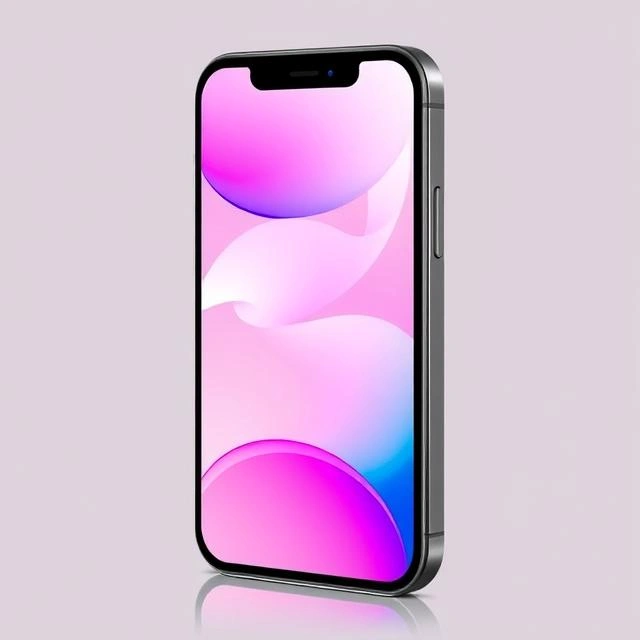
The objective of this project is to replace the damaged screen of an iPhone 12 while ensuring the device retains its original functionality, touch sensitivity, and display quality. This repair will restore the device to its pre-damage condition, ensuring all features such as touch responsiveness, display clarity, and structural integrity are preserved.
Scope of Work
The scope of this project includes the following tasks:
- Diagnosis: Assess the extent of damage to the screen and internal components. This includes checking for cracks, dead pixels, touch responsiveness issues, and any potential damage to the internal components caused by the impact.
- Replacement: Remove the damaged screen and replace it with a high-quality OEM (Original Equipment Manufacturer) or aftermarket part. This involves carefully disassembling the device and ensuring no additional damage occurs during the process.
- Testing: After the replacement, test all functionalities, including touch responsiveness, display clarity, and overall device performance.
- Quality Assurance: Verify the device’s structural integrity and ensure the new screen is properly aligned and secured.
Tools and Materials Required
Tools:
- Heat gun or iOpener: Used to soften the adhesive around the edges of the screen, making it easier to remove.
- Suction cup and opening tools: Essential for lifting the screen and separating it from the frame without damaging internal components.
- Precision screwdrivers (P2, P5, Y000): Required for removing screws and disassembling the device.
- Tweezers and spudgers: Used for handling small components and prying open delicate parts.
- Plastic pry tools: To avoid scratching or damaging the device during disassembly.
- Adhesive applicator: Ensures precise application of the new adhesive during reassembly.
Materials:
- Replacement screen: Choose between OEM or high-quality aftermarket parts. OEM parts are recommended for better compatibility and performance.
- Adhesive strips: Ensures the new screen is securely attached to the frame.
- Isopropyl alcohol and cleaning cloths: Used for cleaning the frame and removing any residual adhesive.
Step-by-Step Repair Process
- Preparation: Power off the iPhone 12 and gather all necessary tools and materials. Ensure the workspace is clean and well-lit to avoid losing small components.
- Screen Removal: Use a heat gun or iOpener to soften the adhesive around the edges of the screen. Attach a suction cup to lift the screen slightly, then use opening tools to carefully separate it from the frame. Take care not to damage internal components such as the battery or display connectors.
- Adhesive Removal: Remove any remaining adhesive from the frame using isopropyl alcohol and a cleaning cloth. Ensure the frame is clean and free of debris before installing the new screen.
- Installation of New Screen: Apply new adhesive strips to the frame. Align the replacement screen carefully and press firmly to ensure proper adhesion. Reconnect the display connectors and secure them with screws.
- Reassembly and Testing: Once the screen is securely attached, reassemble the device and test all functionalities, including touch responsiveness, display clarity, and button responsiveness. Verify the device’s structural integrity by checking for any gaps or misalignments.
Timeline
- Diagnosis: 15 minutes
- Screen Removal: 30 minutes
- Adhesive Removal: 20 minutes
- Installation: 30 minutes
- Testing and Quality Assurance: 15 minutes
- Total Estimated Time: 1.5 to 2 hours
Cost Estimate
- Materials: $80–$150 (replacement screen) + $10–$20 (adhesive strips)
- Labor: $50–$100 (if outsourced to a professional repair service)
- Total Estimated Cost: $140–$270
Risks and Mitigation
- Risk: Damage to internal components during disassembly.
Mitigation: Use proper tools and follow a detailed guide to minimize the risk of damage. Handle components with care, especially the display connectors and battery. - Risk: Poor screen alignment or adhesive failure.
Mitigation: Use high-quality adhesive strips and ensure proper alignment during installation. - Risk: Voiding warranty.
Mitigation: Check the device’s warranty status before proceeding with the repair. If the device is still under warranty, consider having the repair done by an authorized service provider.
Deliverables
- Fully functional iPhone 12: The device will be restored to its original condition with a new screen.
- Documentation: Photos or videos of the repair process for reference and quality assurance.
- Testing report: A detailed report confirming that all functionalities, including touch responsiveness, display clarity, and button responsiveness, are operational.
Conclusion
This project aims to restore the iPhone 12 to its original condition by replacing the damaged screen. By following a systematic approach and using high-quality materials, the repair will ensure the device’s longevity and performance. Proper tools, techniques, and attention to detail are critical to achieving a successful repair that maintains the device’s functionality and aesthetic appeal.